How to Photograph Your Own Work With Just a Phone
Good photos of your work sell your business. You don't need a camera or a studio, just a phone and a few habits. Here's how to get consistently great shots.
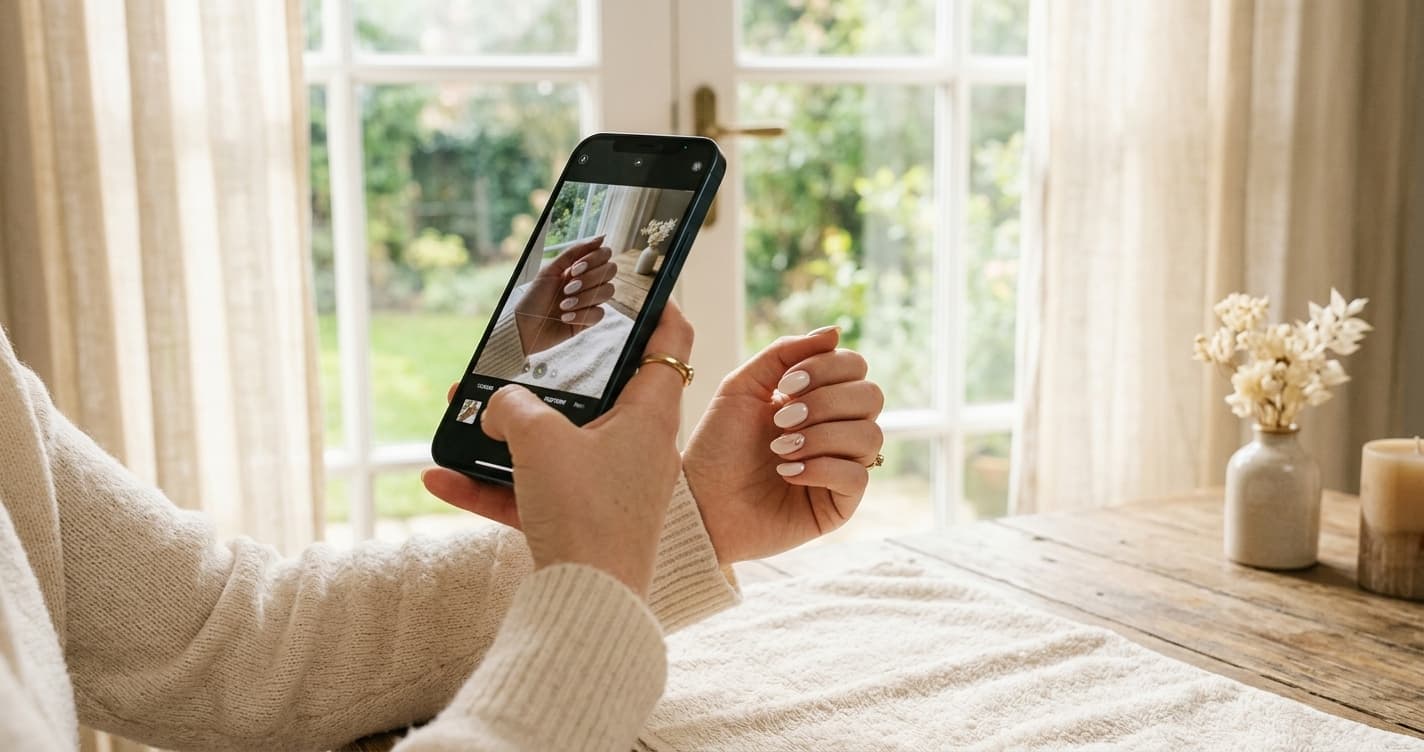
Your photos are your portfolio, your Instagram feed, your website gallery, and often a potential client's first impression of your work. They do an enormous amount of selling on your behalf.
The good news is that the difference between photos that book clients and photos that do not is almost never the camera. Modern phones are more than good enough. The difference is light, background, and a handful of habits that anyone can learn in an afternoon.
Here is how to get consistently good shots of your own work, without a photographer, a studio, or any gear beyond the phone in your pocket.
Light is ninety percent of it
If you take one thing from this, take this: good light makes a phone photo look professional, and bad light makes a professional camera look amateur. Light is the whole game.
The best light for beauty work is soft, natural, and indirect. A large window on an overcast day is close to ideal. Direct sun is harsh and creates hard shadows. Overhead fluorescent or LED salon lighting is the most common culprit behind flat, yellow-green, unappealing photos.
Find the best natural light in your space and make it your photo spot. Position the client or the work so the window light falls on it evenly, not behind it. If you shoot toward the window, the subject goes dark. If the window light lands on the subject from the front or side, everything looks better instantly.
If natural light is not available where you work, a single affordable softbox or ring light aimed to mimic soft window light is the one piece of equipment worth buying. Everything else on this list is free.
Fix your background before you shoot
The second most common thing that makes a photo look amateur is a cluttered background. Product bottles, cords, a busy countertop, another client in the frame. The eye does not know where to look, and the work gets lost.
You do not need a fancy backdrop. You need a clean, simple, uncluttered area. A plain wall, a tidy station, a neutral surface. Before you shoot, take three seconds to clear the frame of anything that is not the work.
Pick one or two consistent backgrounds and use them repeatedly. A consistent look across your feed reads as polished and intentional, and it removes a decision every time you shoot.
Clean the lens
Almost nobody does this, and it matters. Your phone lens is pressed against your hands, your pocket, and your face all day. It is smudged. A smudged lens produces soft, hazy, slightly foggy photos that you might blame on the camera.
Wipe the lens with a soft cloth before a photo session. It takes two seconds and it is the single easiest quality improvement available.
Use the phone's tools properly
A few settings and habits sharply improve phone photos.
Tap to focus, then adjust exposure. Tap the part of the frame that matters (the nails, the eyes, the hair) so the phone focuses there. Most phones then let you slide to brighten or darken. Nudge it so the work is well lit and true to color.
Turn on gridlines and use them. Gridlines help you frame straight and place the subject deliberately rather than dead center every time.
Avoid digital zoom. Pinch-zooming degrades the image. Move closer physically instead. Your feet are a better zoom than the software.
Skip the flash. Phone flash is harsh and flattens everything. Rely on good light instead. If it is too dark for a flash-free photo, the light is the problem to fix, not the flash to add.
Shoot a few frames, not one. Take several shots of each result from slightly different angles. Storage is free, and you will keep the best one. Relying on a single frame means occasionally missing the shot entirely.
Composition that flatters the work
A few simple habits make results look their best.
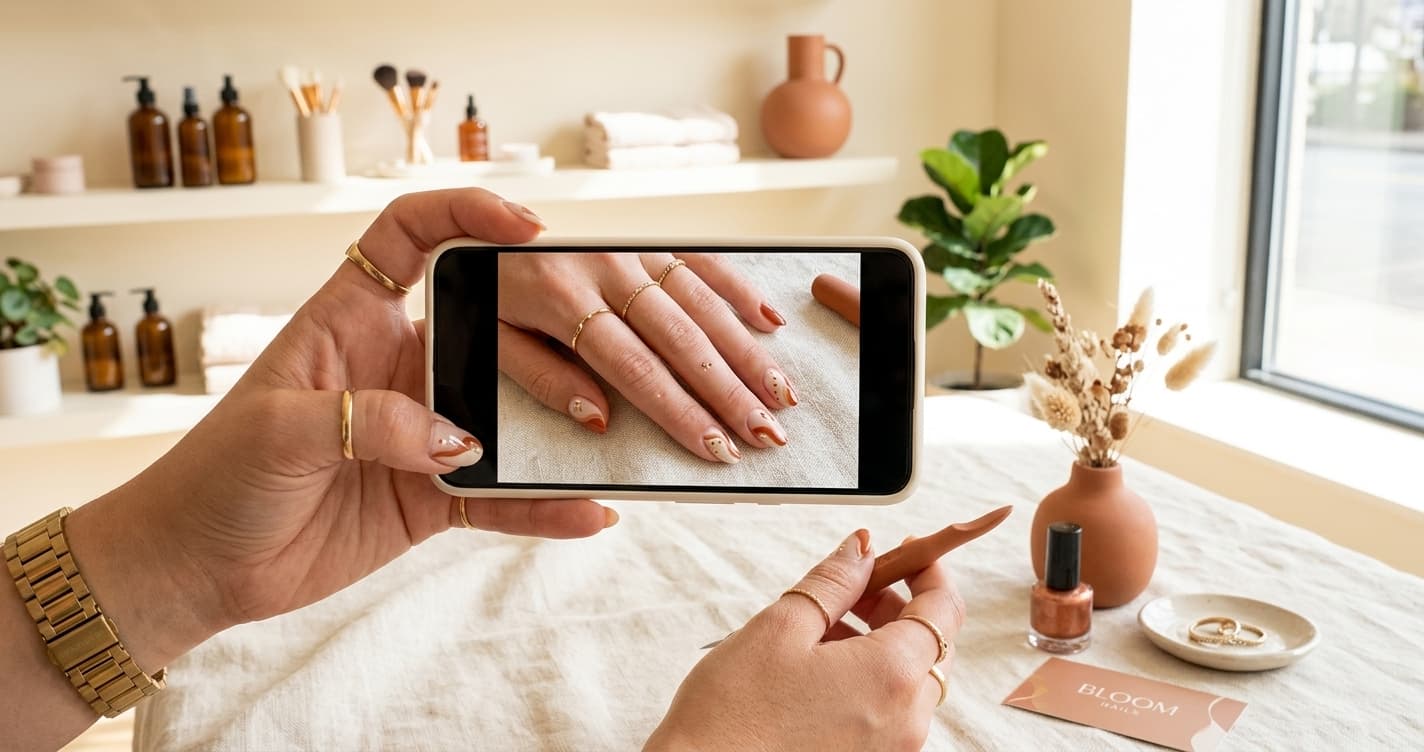
Get close enough to show detail. For nails, lashes, and detailed work, fill the frame with the work. A distant photo loses the craft that justifies your price.
Shoot from the client's flattering angle. For hair, that is often slightly above and to the side. For nails, a clean overhead or three-quarter angle. Experiment and notice which angles consistently look best for your service, then repeat them.
Capture the angles that tell the story. For lashes and hair, eyes-open and eyes-closed, front and profile. For color, a shot that shows the dimension in good light. More useful angles give you more usable content from one result.
Show before and afters. For transformational services, the before and after is the most persuasive single format you can post. Shoot the before every time, even when you are not sure you will use it. You cannot recreate it later.
Edit lightly, honestly
A little editing helps. A lot of editing backfires.
Basic adjustments are fine and often necessary: nudging brightness, gently correcting color so it is true to life, light cropping to improve composition. The goal is to make the photo represent the work accurately, the way it looked in person.
What to avoid is heavy filtering, skin smoothing, and color shifts that misrepresent the result. A client who books based on a heavily edited photo and gets a different-looking result in person is a disappointed client and a retention problem. Edit toward accuracy, not toward fantasy. Your photos are a promise you have to keep in the chair.
Pick one editing approach and apply it consistently, so your feed has a coherent look rather than fifteen different filters.
Get permission, and make it easy
Always ask a client before photographing them, and especially before posting. Most are happy to say yes, particularly if they love the result, but the asking matters both as courtesy and increasingly as a matter of consent norms.
Make it easy on yourself with a simple habit: at the end of a great result, "That came out beautifully, do you mind if I grab a couple of photos for my page?" Said warmly, in the moment, it is rarely refused. Some businesses fold a photo consent line into their intake form so it is handled up front.
For clients who prefer not to be identifiable, close crops of the work itself (just the nails, just the lashes, hair without a face) give you usable content without any privacy concern.
Build the habit
The operators with great feeds are not better photographers. They have a system: a good-light spot, a clean background, a lens wipe, a few frames per result, light honest editing, and consistent posting.
Do it for every strong result and within a couple of months you will have a deep, professional-looking library that feeds your Instagram, your website gallery, and your portfolio for new clients. It costs nothing but the habit, and it sells your work every day without you in the room. For where all that content ultimately points, see the first 100 clients.
Built for businesses like yours
Lumidara is the affordable scheduling and client platform for independent salons, nail studios, lash bars, and spas. Free to start. No credit card required.
See how Lumidara works