Calendar
See the whole day before it starts.
Every appointment, deposit, and payment sits on one calendar, so the next client never catches you off guard.

The calendar is free on every plan, including Starter.
Compare plansWeek and month
Plan the week. Glance at the month.
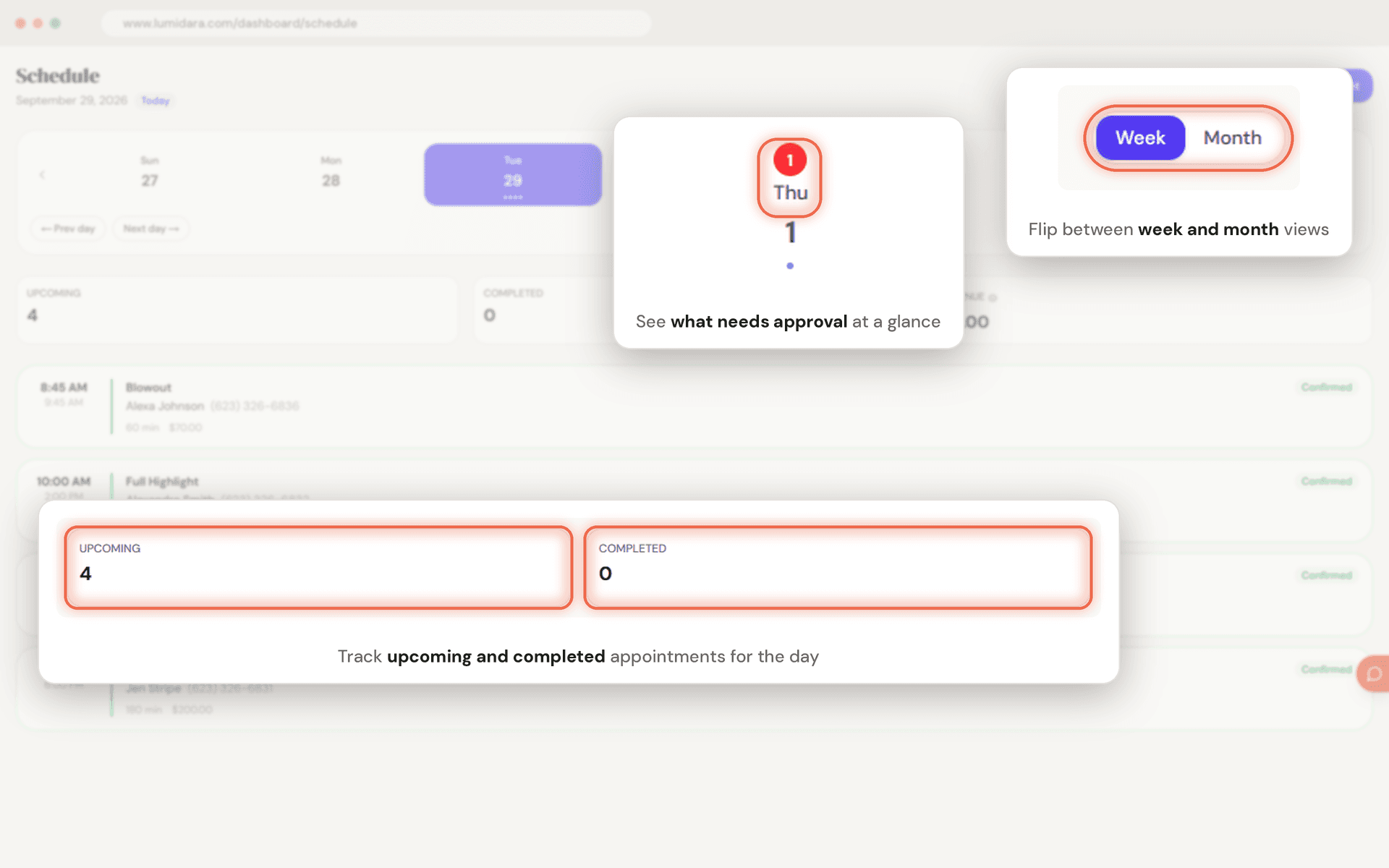
Switch between a week view for the day to day and a month view for the long look. The week strip shows how busy each day is and flags the days with bookings waiting on you.
- Week and month views
- Appointment counts on every day
- Days with bookings to confirm are flagged
Checkout
Check a client out in one step.
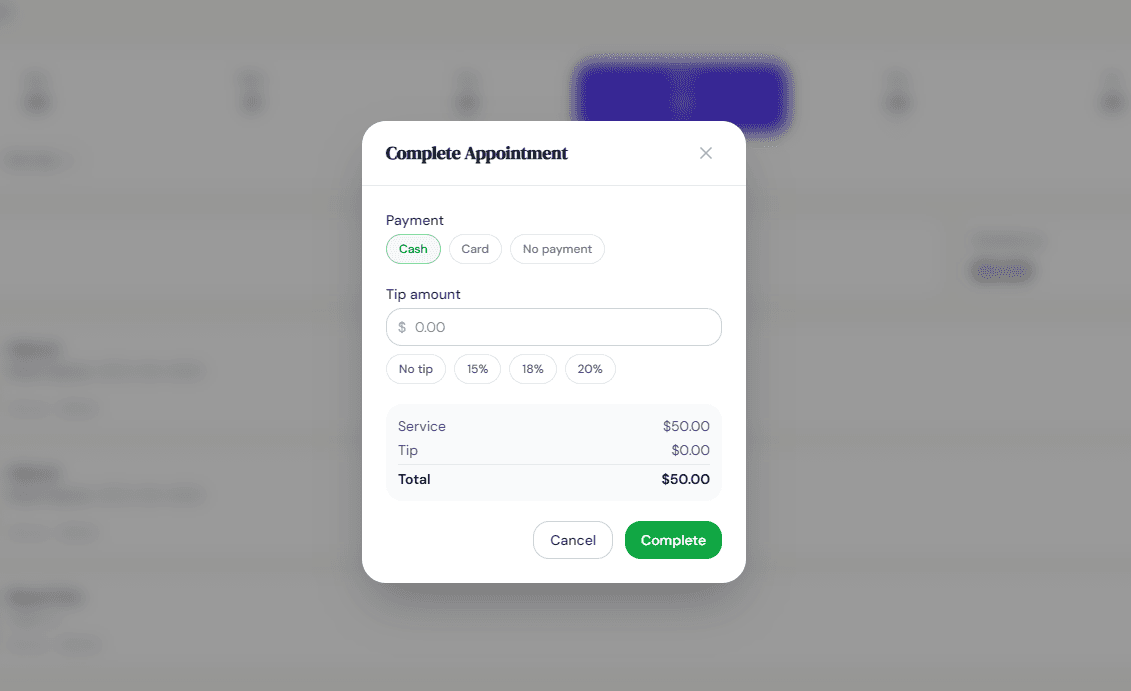
Mark the visit complete and record how they paid: cash, card, or nothing yet. For card, show a QR code or send a link, and the calendar updates the moment they pay.
- Cash, card, or pay later
- Tips recorded with the payment
- Apply a loyalty reward at checkout
Changes
Plans change. The calendar keeps up.
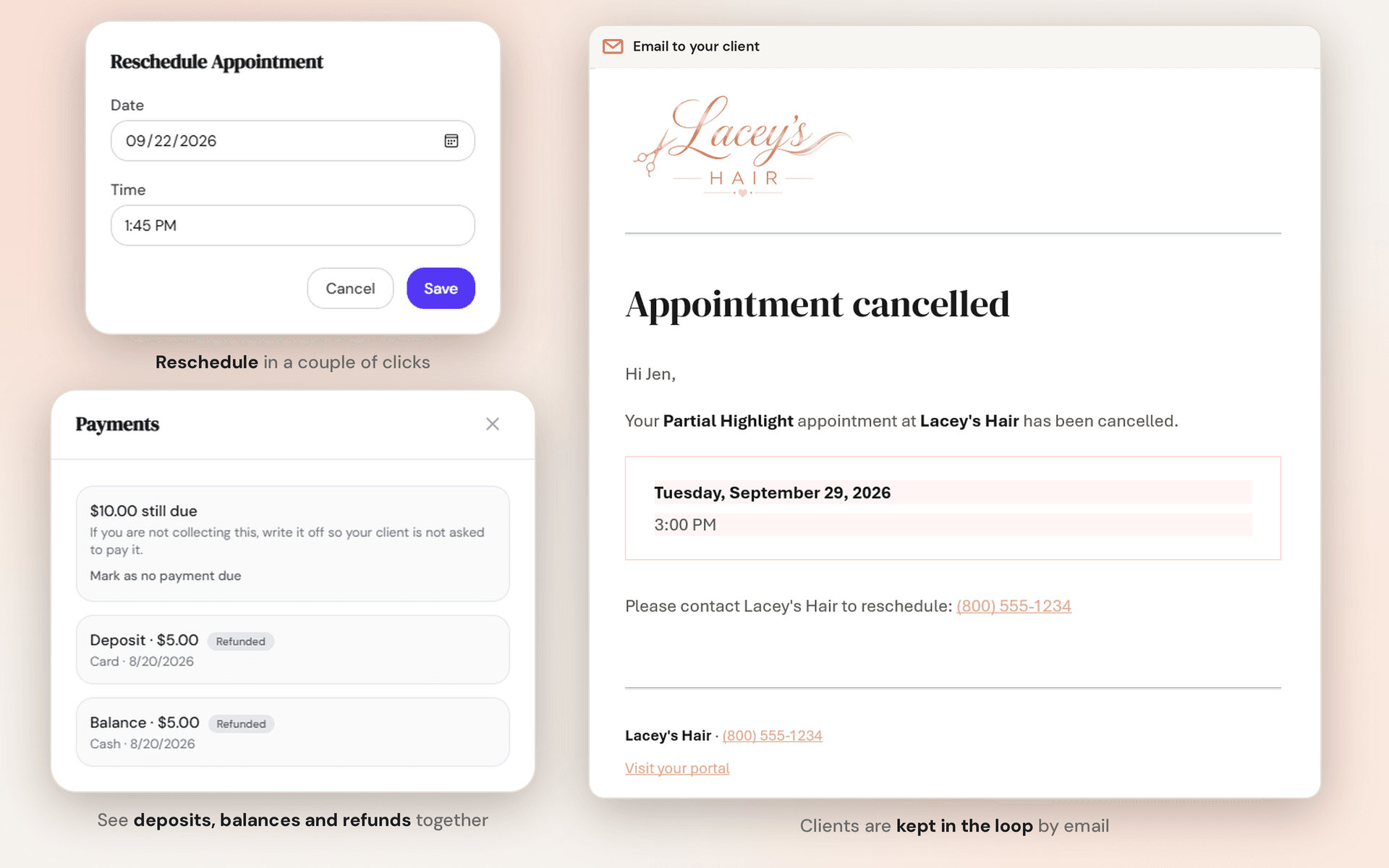
Reschedule, cancel, or mark a missed appointment. Clients are emailed when you cancel, and if they already paid, you are asked about a refund right there.
- Reschedule in place
- Cancellation emails to clients
- Refund prompt when money was taken
The small things
Details that save you a message.
- Confirm online bookings
- Bookings from your site arrive for you to confirm. The ones you create are confirmed automatically.
- Deposit badges
- See at a glance which appointments have a deposit paid and which still owe a balance.
- Collect later
- A finished visit that is still short shows a Collect payment button until it is settled.
- Undo a checkout
- Marked something complete by mistake? Undo it, and any cash you recorded goes with it.
- Money collected, not guessed
- Daily totals count payments actually received, not prices on the menu.
- Client history
- Every visit and payment is saved to the client's profile.
Questions
Before you ask.
Is the calendar free?
Yes. The calendar, checkout, and payment recording are on every plan, including Starter.
Can I book outside my business hours?
Yes. Appointments you create yourself are not limited by your hours or blackout dates. Those rules only apply to online booking.
Do I have to take payments through Lumidara?
No. You can record cash, complete a visit with no payment, or connect Stripe or Square to take cards.
From the blog
- How to Use Appointment Reminders to Cut Your No-Show RateReminders are the cheapest fix for no-shows, and most salons send them badly. Here's the timing, the wording, and the settings that actually work.
- What Every Solo Beauty Pro Should Track (Even If You Hate Numbers)You don't need a dashboard or a finance degree to run a healthy salon. You need three numbers, checked monthly. Here's what they are and what they tell you.
Start free
Try it with your own clients.
Starter is free with no card. Move up to Pro when you are ready for online booking.