How to Set Up Online Booking So It Protects Your Schedule
A booking tool that only knows your open and close time will book you appointments you can't honor. Here are the settings that make it fit your real day.
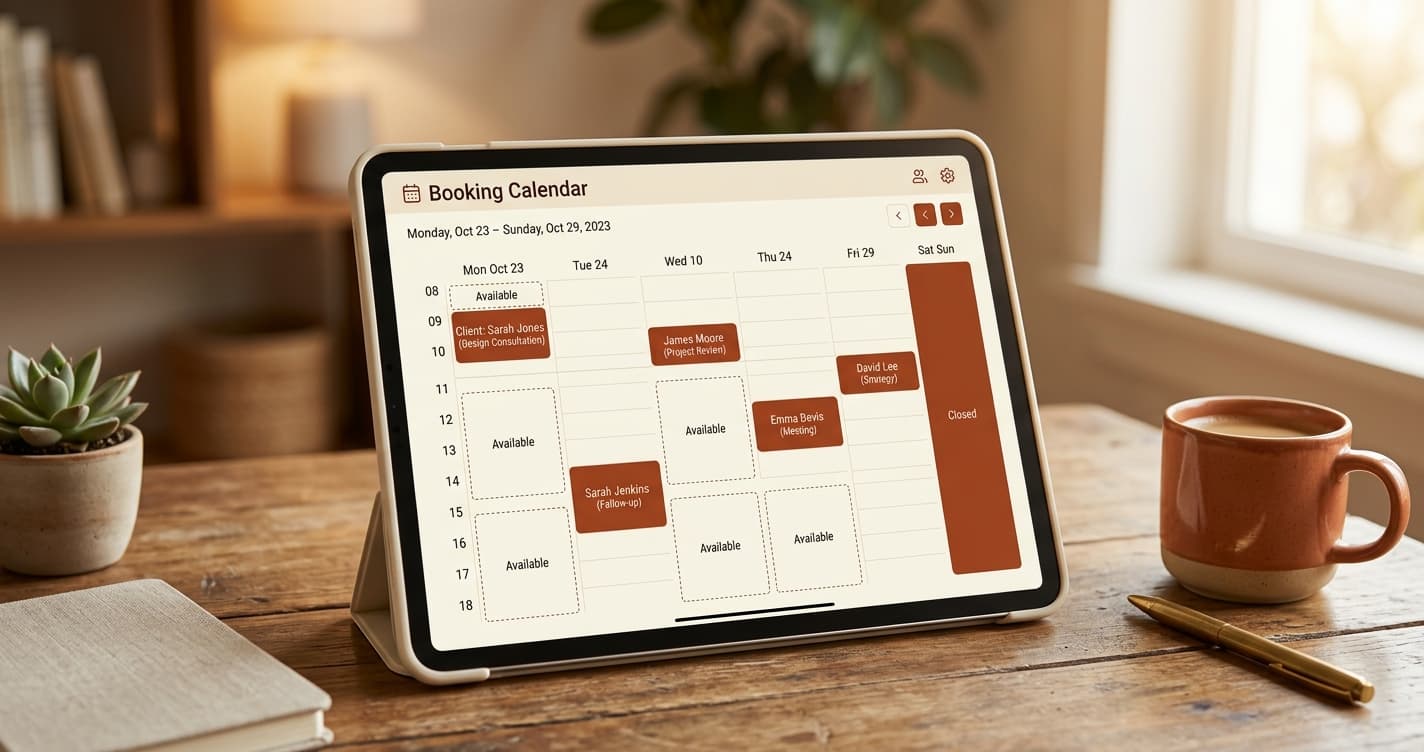
Most people think of online booking as a single switch: turn it on, and clients can book. That is the easy 80% of the value. The other 20%, the part that decides whether you actually trust the tool, lives in the settings.
A booking system that only knows your opening and closing time will cheerfully book you a 90 minute appointment that starts 30 minutes before you close. It will book someone into the slot you needed to sterilize your tools. It will offer a Thursday to a client wanting a service you only do on weekends. Every one of those is a booking you now have to unwind by hand, which is worse than not having online booking at all.
Good online booking is not about opening the doors. It is about teaching the tool the texture of your real schedule so it only ever offers slots you can genuinely honor. Here is each setting that matters, and why.
Appointment duration that respects closing time
Every service should carry its own duration. A polish change is not a full set. A fill is not a new set. The booking tool needs to know how long each one actually takes.
The reason this matters more than it sounds: a well-built booking system only offers a start time if the entire appointment fits before you close. If you close at 6pm and a service takes 90 minutes, the last bookable start is 4:30pm, not 5:45pm. The tool should do that math for you on every service, automatically, so you are never staring at a booking that runs 45 minutes past close.
If your current tool offers start times without checking whether the appointment fits before closing, that is a real gap, and it is the source of a surprising number of "wait, this runs too late" surprises.
Buffer time between appointments
This is the setting that separates tools built for beauty from tools built for generic scheduling.
Most beauty services need time after them before the next client can sit down. Cleanup. Sterilization. Resetting the station. Letting a space air out. If your booking tool packs appointments back to back with no gap, you end up either rushing the turnover or running late for the rest of the day.
The fix is a per-service buffer: a set number of minutes after a service during which the tool will not offer the next booking. A lash set might need 15 minutes of cleanup and reset. A color service might need more. A quick polish change might need none.
Set this per service, because the turnover time genuinely differs. A tool that only offers one global buffer forces you to either over-pad your quick services or under-pad your involved ones. Per-service buffers let each service reserve exactly the turnover it needs, and the client never sees it. They just see the slots that actually work.
Split-shift hours, so your lunch is real
Your day is probably not one unbroken block. Many operators work a morning stretch, break for lunch or admin, then work an afternoon stretch.
A booking tool that only accepts one open time and one close time per day cannot represent that. It will offer your lunch break as bookable, and you will spend your break either working or apologizing.
Look for the ability to set more than one window per day. Open 9 to 12, closed 12 to 1, open 1 to 5. The tool then treats the midday gap as unavailable without you blocking it manually every single day. Set it once, and your lunch is protected in perpetuity.
Blackout dates and times
Standing hours handle your normal week. Blackouts handle the exceptions.
A vacation. A dentist appointment. A trade show. A day you are closing early for a family thing. A morning you blocked for a deep clean. These are not changes to your regular schedule, they are one-off exceptions, and you want to enter them as exceptions rather than editing your standing hours and remembering to change them back.
A blackout removes a specific date, or a specific window on a date, from availability. Clients simply do not see those slots. You do not get a booking you have to cancel and apologize for, and you do not have to remember to reopen the time afterward.
The businesses that get burned here are the ones relying on memory. They mean to block the Friday they are traveling, forget, and get a booking they have to unwind. Enter the blackout when you know about it, and the problem never exists.
Booking lead time
You probably do not want a client booking a slot that starts in nine minutes, while you are mid service and not looking at your phone.
A booking lead time (sometimes called a booking buffer) sets the minimum notice required before a slot becomes bookable. Set it to two hours, and the tool will not offer anything starting sooner than two hours from now. This protects you from scramble bookings you cannot prepare for, while still allowing genuine same-day booking within a sane window.
Set it to match how much runway you actually need. A walk-in-friendly nail studio might want 30 minutes. A service requiring setup or consultation might want a day.
Booking window
The mirror image of lead time. How far into the future can a client book?
Too short, and clients who plan ahead cannot lock in their next appointment. Too long, and you have people booking ten months out for a price and availability that may not hold. A window of somewhere between four and twelve weeks suits most beauty businesses, long enough for regulars to rebook their next cycle, short enough that you are not committing to a schedule you cannot see yet.
This one pairs directly with rebooking. If your natural cycle is six weeks and your booking window is four, clients literally cannot book their next standing appointment at checkout. Make sure the window is at least as long as your longest service cycle.
Per-service availability
Not every service needs to be offered every day you are open.
Maybe you only do full color on days you have the afternoon free for it. Maybe a long treatment is weekends only. Maybe a particular service needs a setup you only bother with on certain days.
Per-service availability lets you restrict an individual service to specific days without changing your overall hours. The tool keeps your general availability intact but only offers that particular service on the days you have chosen for it. Clients booking a quick service still see your full week. Clients booking the involved one see only the days you actually want to do it.
The payoff of getting this right
Set up properly, online booking stops being a thing you monitor and becomes a thing you forget about. Every slot a client can see is a slot you can genuinely honor. No mid-service scramble bookings, no appointments running past close, no lunch interruptions, no bookings on days you are away, no services offered on days you cannot deliver them.
That is the actual goal. Not just letting clients book, but letting them book only what works, so you never have to send the awkward "so sorry, I actually cannot do that time" message that undoes all the convenience you were trying to create.
If you are still weighing tools rather than configuring one, the companion piece is online booking for salons: what to look for and what to avoid. And once bookings are flowing cleanly, the settings above are what keep your day from filling in ways you did not intend, which is half of what managing a suite solo is really about.

Built for businesses like yours
Lumidara is the affordable scheduling and client platform for independent salons, nail studios, lash bars, and spas. Free to start. No credit card required.
See how Lumidara works